
01
Instant session discovery
Automatically loads your media player's currently playing file.
Self-hosted video clipping
Open Plex, Jellyfin, or a local file. Trim the moment and export it.
Transcoded locally in your browser.
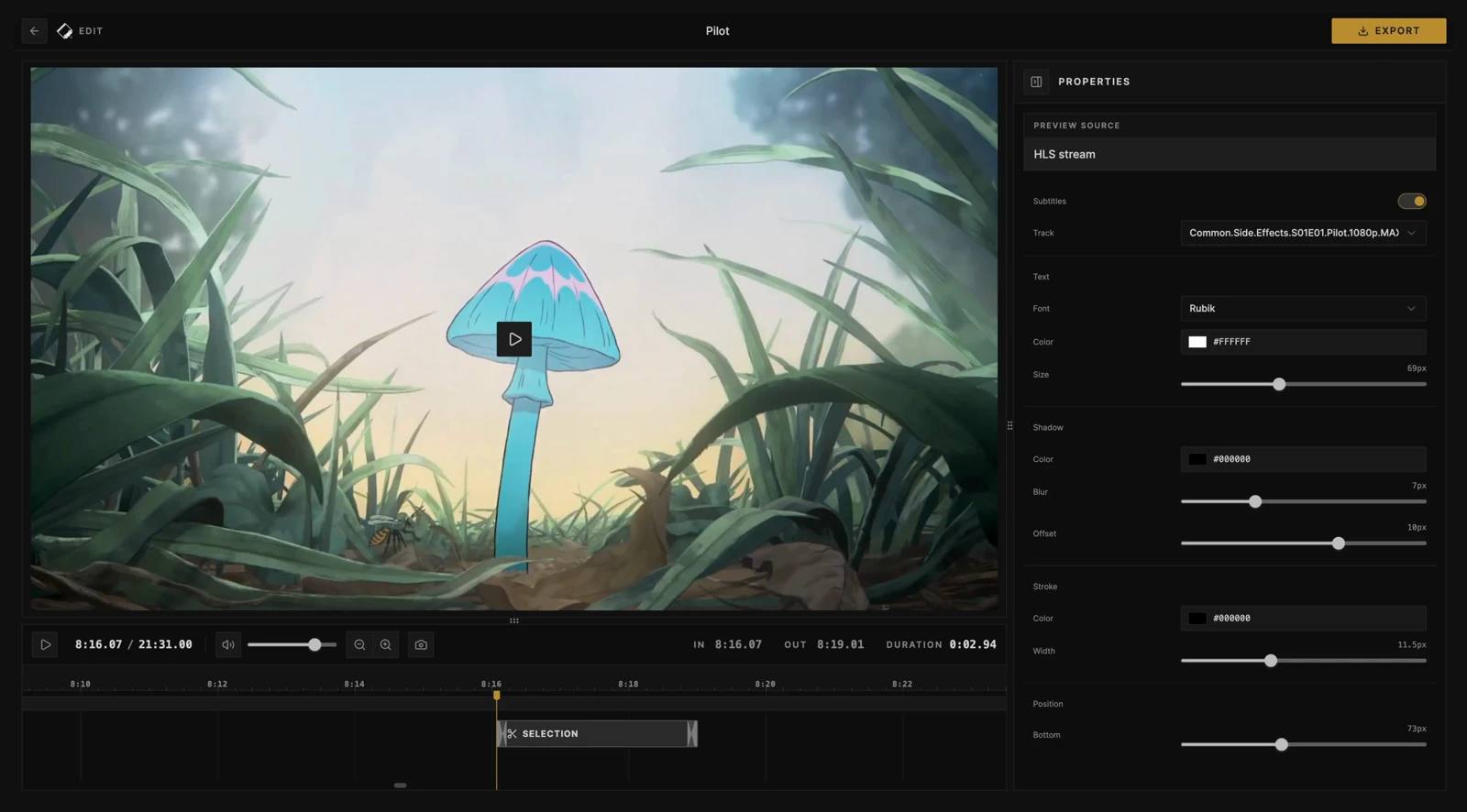
Focused editing
Cliparr keeps the workflow small: find the source, choose the range, export the clip.
01
Automatically loads your media player's currently playing file.
02
Open a local file or direct media URL before or after connecting a provider.
03
Familiar editing controls for choosing the exact clip range.
04
Powered by Mediabunny, video is transcoded in your browser.
05
Exports can include season, episode, and timing metadata from your source.
06
Burn in supported subtitles with customizable styling and local font support in Chromium.
Self-hosted quick start
Self-host Cliparr in Docker, keep your sources connected, and make clips whenever something worth saving is playing.
docker run -d \
  --name cliparr \
  -p 3000:3000 \
  -e APP_KEY="your-32-char-stable-random-secret" \
  -v cliparr-data:/data \
  ghcr.io/techsquidtv/cliparr:latest
Sources
Connect a server source for active playback discovery, or open a video directly from your device when you just need a local clip.

Connect your Plex account, choose a server, and clip from active playback sessions.

Connect your Jellyfin server with an administrator account and clip from active sessions across your library.